

Interior Design Project Management Software: 10 Tools Compared for 2026

You've just landed three new residential projects, and suddenly you're drowning in a sea of Excel spreadsheets, WhatsApp messages with tile samples, and sticky notes reminding you to follow up with that Italian furniture supplier. Managing multiple design projects simultaneously feels like juggling while riding a unicycle—and your clients expect you to make it look effortless.
Most project management software reviews are written by tech companies who've never specified a sofa or coordinated a contractor. They focus on generic features like "Gantt charts" and "resource allocation" without understanding what interior designers actually need: visual-first interfaces that connect mood boards to timelines, client portals that don't require a degree in software engineering, and the ability to attach product links directly to project stages.
This isn't another listicle written by a SaaS marketing team. We've evaluated 10 project management tools based on criteria that matter for design workflows: stage-based project views, product attachment capabilities, client-facing shareability, EU data compliance, and whether the interface respects that you think visually, not in spreadsheets.
What Interior Designers Actually Need from PM Software (Not What Software Companies Think You Need)
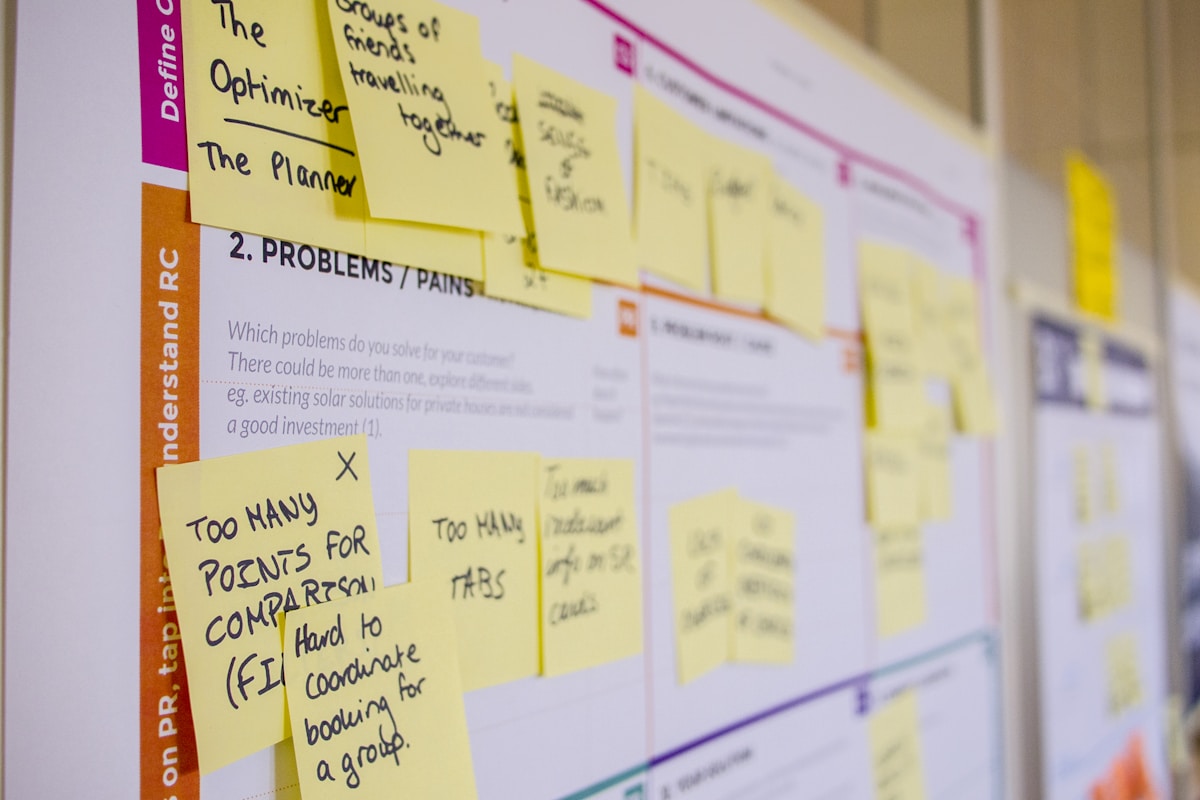
Before diving into tool comparisons, let's establish the non-negotiables for design project management. Generic PM software assumes you're shipping code or managing construction—but interior design projects have unique rhythms and requirements.
Stage-based workflow visibility is essential because design projects move through distinct phases: brief and concept, space planning, design development, procurement, and installation. You need to see at a glance which projects are in the concept stage requiring your creative attention versus which are in procurement mode where you're chasing suppliers.
Visual product attachment means being able to link specific furniture pieces, fabrics, and finishes directly to project tasks or stages. When your timeline says "Client approval: living room sofa," you should be able to click through to the exact IKEA Söderhamn or Westwing velvet piece you've specified—with images, dimensions, and pricing visible.
Client-facing views that don't embarrass you are crucial. Your clients don't need to see your internal notes about their indecisiveness or the three times you've rescheduled the contractor. They need a polished, visual project overview that builds confidence and reduces the "just checking in" emails.
EU data compliance and localisation matter if you're working across Europe. Does the tool offer proper GDPR compliance? Can you invoice in euros? Does it integrate with European suppliers and shipping logistics?
Mobile-first design isn't optional when you're photographing site conditions, checking paint samples in natural light, or responding to urgent client questions from a furniture showroom. If the mobile experience is an afterthought, the tool won't survive your real working conditions.
Generic PM tools like Monday.com or ClickUp tick boxes on feature lists but often miss these design-specific nuances. Purpose-built tools understand your workflow but might lack flexibility. The right choice depends on your project complexity, team size, and how much you value software that "speaks designer."
The 10 Tools: Comprehensive Review
1. ArcOps
Overview: ArcOps is purpose-built project management software for interior designers and architects, designed around the European design workflow. It structures projects into standard design stages (concept, development, procurement, installation) whilst allowing full customisation.
Best for: Freelance designers and small studios (2-8 people) managing multiple residential or small commercial projects simultaneously. Particularly strong for designers who need visual project timelines that connect directly to product libraries.
Pricing: Starter plan at €29/month, Professional at €79/month, Studio at €149/month (all prices in EUR, billed annually for 15% discount).
EU-Readiness Score: 5/5 — Built with GDPR compliance, hosted on EU servers, invoicing in multiple European currencies, and integration with European supplier catalogues.
Key Features:
- Stage-based project views with visual progress tracking
- Product library with direct links to European retailers (IKEA, Westwing, JYSK, etc.)
- Client portal with customisable branding and mobile-responsive design
- Time tracking integrated into project stages
- Budget management with real-time cost tracking against estimates
- Automated client updates at stage completion
Key Limitation: Newer platform with smaller user community compared to established tools. Integration ecosystem still growing (currently connects with major accounting software but not every niche design tool).
The Verdict: If you think in design stages rather than task lists, and you're tired of adapting generic PM software to fit your workflow, ArcOps feels like software that finally understands your profession.
2. Houzz Pro
Overview: Houzz Pro is the professional arm of the popular home design platform Houzz. It combines project management with lead generation, since you can convert Houzz ideabook browsers into paying clients.
Best for: Designers who actively use Houzz for marketing and want to consolidate their client pipeline and project management in one platform.
Pricing: Starts at approximately €65/month for Essential plan, scaling to €135/month for Ultimate (pricing varies by region; Houzz primarily prices in USD/GBP).
EU-Readiness Score: 3/5 — Available in Europe with partial localisation, but clearly US-centric in supplier integrations and some features.
Key Features:
- Lead management integrated with Houzz portfolio
- 3D floor plans and mood board tools
- Client communication hub
- Invoicing and payment processing
- Takeoff and material estimation tools
Key Limitation: The platform feels like several tools stitched together rather than one cohesive experience. Designers report a steep learning curve and occasionally clunky interfaces. The US focus means fewer direct integrations with European suppliers.
The Verdict: Makes sense if Houzz is already central to your marketing strategy, but you're paying for features (lead gen tools) that aren't pure project management. For our full analysis, see our Houzz Pro alternatives guide.
3. Programa
Overview: Programa positions itself as "business management for interior designers," emphasising the financial side: proposals, invoicing, time tracking, and profitability analysis.
Best for: Established designers who need tight financial control and want to understand project profitability down to the hour.
Pricing: Starts at approximately €70/month, scaling with team size and features (pricing in USD but accepts EUR payments).
EU-Readiness Score: 3/5 — GDPR-compliant with EU data centres, but interface and support are US-focused. Limited European supplier integrations.
Key Features:
- Comprehensive time tracking with hourly rate calculations
- Detailed proposal and contract generation
- Budget vs. actual cost reporting
- Purchase order management
- Client portal for approvals
Key Limitation: The interface prioritises spreadsheets over visual design workflow. If you're a visual thinker, Programa can feel like you're doing accounting first, design second. Mobile experience is functional but not delightful.
The Verdict: Choose Programa if you're business-first in your mindset and profitability tracking is your primary pain point. If you need project management that feels like a design tool, look elsewhere.
4. Studio Designer
Overview: Studio Designer is veteran software in the interior design space, offering comprehensive business management from project conception through to purchase orders and installation.
Best for: High-end residential designers working with significant budgets and complex procurement needs involving trade-only suppliers.
Pricing: Approximately €75-€150/month depending on features (pricing structure is complex; contact for EU-specific pricing).
EU-Readiness Score: 2/5 — Primarily designed for the US market with limited European adaptations. Currency conversion available but integrations heavily favour US suppliers.
Key Features:
- Detailed product specification and sourcing tools
- Purchase order generation with supplier tracking
- Project accounting and profitability reports
- Client presentation tools
- Inventory management for design studios with warehousing
Key Limitation: The interface hasn't evolved significantly in years—it looks and feels dated compared to modern cloud software. Steep learning curve with extensive training required. Not mobile-friendly.
The Verdict: If you're running a traditional design studio with complex procurement and you've already invested in learning Studio Designer, it's powerful. For newer designers or those wanting modern, intuitive software, the dated interface is a barrier.
5. Monday.com
Overview: Monday.com is a highly flexible, generic work management platform used across industries. Its visual board interface and extensive customisation make it adaptable to design project workflows.
Best for: Designers who enjoy building custom workflows and want flexibility to adapt the tool to their exact process, or studios managing both design and other business functions on one platform.
Pricing: Individual plan free (limited), Basic €9/user/month, Standard €12/user/month, Pro €19/user/month (minimum 3 users on paid plans).
EU-Readiness Score: 5/5 — GDPR-compliant, EU data centres available, supports multiple currencies and languages.
Key Features:
- Highly visual board views with colour coding and status tracking
- Extensive automation capabilities
- Integrations with hundreds of other tools
- Customisable dashboards and reporting
- Time tracking add-ons available
- Client-facing board sharing
Key Limitation: You're starting with a blank canvas—Monday.com requires significant setup time to build project templates that match design workflows. No built-in understanding of design stages or product libraries. You'll need to create custom fields for everything from fabric swatches to contractor contacts.
The Verdict: If you're tech-savvy and want ultimate flexibility, Monday.com can be moulded into a powerful design PM tool. But you're trading setup time and ongoing maintenance for that flexibility. For designers who want purpose-built software that works immediately, the blank-slate approach may feel inefficient.
6. ClickUp
Overview: ClickUp markets itself as "one app to replace them all"—a highly feature-rich PM platform with everything from task management to docs, goals, and time tracking.
Best for: Designers who want an all-in-one solution and don't mind navigating feature-heavy software.
Pricing: Free plan available (limited), Unlimited €7/user/month, Business €12/user/month, Business Plus €19/user/month.
EU-Readiness Score: 4/5 — GDPR-compliant with EU data processing agreements available, though primarily US-based infrastructure.
Key Features:
- Multiple view options (list, board, timeline, calendar, Gantt)
- Built-in docs and wikis
- Goal tracking and OKRs
- Native time tracking
- Mind maps and whiteboards
- Extensive task customisation
Key Limitation: Feature overload can be overwhelming. The interface tries to do everything, which means it doesn't excel at design-specific needs like visual product libraries or stage-based project views. The learning curve is steep for team adoption.
The Verdict: ClickUp offers incredible value if you want Swiss Army knife functionality and you're willing to invest learning time. For designers wanting clean, visual, focused project management, it may feel cluttered.
7. Asana
Overview: Asana is a mature, polished project management platform known for its clean interface and reliability. It's generic software that many designers adapt to their workflow.
Best for: Designers who value stability, polish, and team collaboration over design-specific features.
Pricing: Personal plan free (limited), Starter €10.99/user/month, Advanced €24.99/user/month (minimum 2 users on Starter).
EU-Readiness Score: 5/5 — Full GDPR compliance, EU data residency options, multi-language support.
Key Features:
- Clean, intuitive interface
- Multiple project views (list, board, timeline, calendar)
- Portfolio management for tracking multiple projects
- Workflow automation (on paid plans)
- Forms for client intake
- Extensive integration library
Key Limitation: Like Monday.com, Asana is a blank canvas requiring setup to match design workflows. No native support for visual product libraries or design-stage templates. You'll create custom fields and sections to approximate design project needs.
The Verdict: If you prioritise user experience and reliability, and you're comfortable building your own project templates, Asana is solid. It won't wow you with design-specific features, but it also won't frustrate you with bugs or complicated interfaces.
8. Notion
Overview: Notion is a flexible workspace combining notes, databases, wikis, and project management. Its freeform structure appeals to creative professionals who want to customise everything.
Best for: Solo designers or very small teams who love building custom systems and want one tool for project management, notes, and knowledge management.
Pricing: Personal plan free, Plus €10/user/month, Business €18/user/month.
EU-Readiness Score: 4/5 — GDPR-compliant with data processing agreements, though server infrastructure is primarily US-based.
Key Features:
- Completely flexible page and database structure
- Embedded media and visual content
- Relational databases for connecting projects to products/clients
- Beautiful, minimalist design
- Real-time collaboration
- Template gallery (including some design-focused templates)
Key Limitation: Notion is what you make of it—which means significant time investment to build functional project management systems. No built-in project management logic (stages, timelines, budget tracking). Mobile experience lags behind desktop. Not designed for client-facing portals.
The Verdict: If you're a Notion power user who already manages your life in it, extending to project management makes sense. If you're seeking ready-to-use PM software, Notion's blank-page approach will slow you down. Think of it as a tool for designers who enjoy building tools.
9. Trello
Overview: Trello pioneered the kanban board interface with its simple card-and-column system. It's lightweight, visual, and easy for clients to understand.
Best for: Designers managing straightforward projects who value simplicity and client-friendliness over advanced features.
Pricing: Free plan available (limited), Standard €5/user/month, Premium €10/user/month, Enterprise €17.50/user/month.
EU-Readiness Score: 5/5 — Owned by Atlassian, with full GDPR compliance and EU data residency options.
Key Features:
- Intuitive kanban board interface
- Power-Ups (integrations) for extending functionality
- Card attachments for images and files
- Due dates and checklists
- Board backgrounds for visual customisation
- Butler automation on paid plans
Key Limitation: Simplicity becomes a constraint for complex projects. Trello lacks built-in time tracking, budget management, and sophisticated reporting. You'll hit its ceiling quickly if you're managing multiple detailed projects or need financial oversight.
The Verdict: Trello excels for lightweight project visualisation and client communication. It's the easiest tool on this list for clients to understand. But for comprehensive project management including time, budget, and procurement, you'll need to supplement with other tools.
10. Mydoma
Overview: Mydoma Studio is design-specific software focused on client collaboration, presentation, and project management. It emphasises visual client-facing experiences.
Best for: Designers who prioritise client presentation and want polished, branded project sharing.
Pricing: Starts at approximately €45/month for solo designers, scaling with team size (pricing in CAD, accepts EUR payments).
EU-Readiness Score: 3/5 — GDPR-compliant but Canadian-based with US infrastructure. EU supplier integration limited.
Key Features:
- Visual project timelines for client sharing
- Product boards and shopping lists
- Client portal with branded experience
- Proposal and contract generation
- Mood board creation tools
- Budget tracking with client visibility
Key Limitation: The platform focuses heavily on client presentation at the expense of internal project management depth. Reporting and analytics are basic compared to tools like Programa or Studio Designer. Limited integration ecosystem.
The Verdict: If your primary pain point is creating beautiful client presentations and you want software that makes you look polished, Mydoma excels. For internal team coordination and financial management, it's lighter-weight than business-focused alternatives.
Comparison Matrix: Features Across All 10 Tools
Here's how the tools stack up across features that matter for design project management:
| Feature | ArcOps | Houzz Pro | Programa | Studio Designer | Monday.com | ClickUp | Asana | Notion | Trello | Mydoma |
| Design Stage Views | ✓ Native | ✓ Native | ✗ Custom | ✓ Native | ✗ Custom | ✗ Custom | ✗ Custom | ✗ Custom | ✗ Custom | ✓ Native |
| Product Library/Links | ✓ Integrated | ✓ Yes | ◐ Limited | ✓ Advanced | ✗ Manual | ✗ Manual | ✗ Manual | ◐ Database | ✗ Manual | ✓ Yes |
| Client Portal | ✓ Branded | ✓ Yes | ✓ Yes | ◐ Basic | ◐ Shared boards | ◐ Guest access | ◐ Shared projects | ✗ No | ◐ Shared boards | ✓ Branded |
| Time Tracking | ✓ Native | ◐ Basic | ✓ Advanced | ✓ Yes | ◐ Add-on | ✓ Native | ◐ Integrations | ✗ Manual | ✗ Power-Up | ◐ Basic |
| Budget Management | ✓ Advanced | ✓ Yes | ✓ Advanced | ✓ Advanced | ◐ Custom fields | ◐ Custom fields | ◐ Custom fields | ◐ Database | ✗ Manual | ✓ Yes |
| Mobile Experience | ✓ Excellent | ◐ Good | ◐ Functional | ✗ Poor | ✓ Excellent | ✓ Excellent | ✓ Excellent | ◐ Good | ✓ Excellent | ◐ Good |
| EU Data Compliance | ✓ Full (5/5) | ◐ Partial (3/5) | ◐ Partial (3/5) | ◐ Limited (2/5) | ✓ Full (5/5) | ✓ Full (4/5) | ✓ Full (5/5) | ✓ Full (4/5) | ✓ Full (5/5) | ◐ Partial (3/5) |
| Invoicing/Payments | ✓ Native | ✓ Native | ✓ Advanced | ✓ Native | ✗ Integrations | ✗ Integrations | ✗ Integrations | ✗ No | ✗ Power-Up | ✓ Native |
| Learning Curve | Low | Medium-High | High | Very High | Medium | High | Low-Medium | Medium | Very Low | Low-Medium |
| Starting Price (EUR/mo) | €29 | €65 | €70 | €75 | €9/user | €7/user | Free-€11 | Free-€10 | Free-€5 | €45 |
Legend:
- ✓ = Feature included natively
- ◐ = Partial support or requires customisation
- ✗ = Not available or requires significant workarounds
The Verdict: Generic PM vs. Design-Specific PM (When Each Makes Sense)
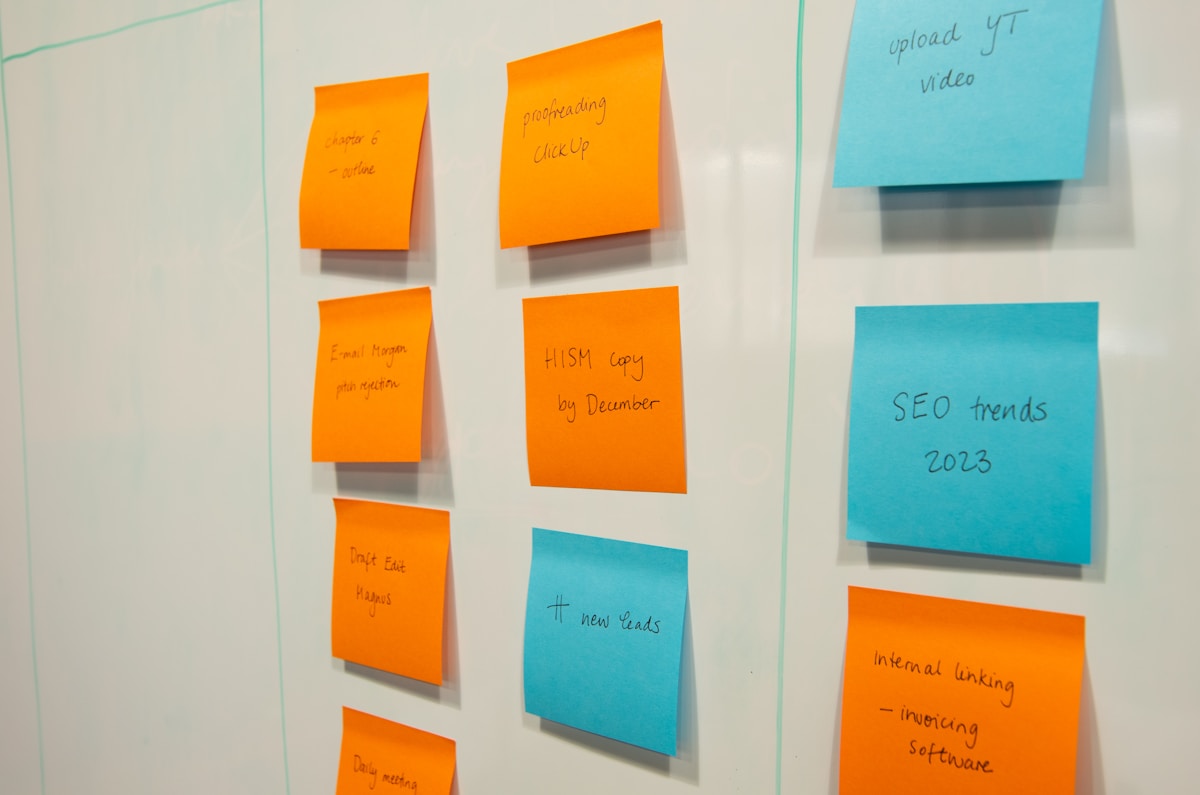
The fundamental choice isn't "which tool is best" but "do I need design-specific software or can I adapt a generic platform?" Both approaches have merits depending on your situation.
Choose Generic PM Software (Monday.com, ClickUp, Asana) When:
You're managing diverse work beyond design projects. If your studio also handles marketing campaigns, business development, or property management alongside design work, a flexible platform that accommodates different workflows makes sense.
You want ultimate customisation control. Generic platforms let you build exactly the system you want, with custom fields, automation rules, and views tailored to your unique process. If you enjoy systems-building and have clear ideas about your workflow, you'll appreciate this freedom.
You're prioritising team collaboration across disciplines. If you work with contractors, architects, and consultants who already use platforms like Asana or Monday.com, sharing a common tool simplifies collaboration.
Budget is a primary constraint. Generic tools often offer lower per-user pricing, especially for larger teams. Monday.com at €9/user beats most design-specific software.
Choose Design-Specific PM Software (ArcOps, Houzz Pro, Mydoma) When:
You think in design stages, not task lists. If your mental model is "this project is in concept development, that one's in procurement," you need software that mirrors this structure natively rather than forcing you to build it from scratch.
Visual product libraries matter to your workflow. Attaching a sofa specification to a task is fundamentally different from uploading a file. Design-specific tools understand the relationship between products, budgets, and project stages.
Client presentation is a priority. Purpose-built tools offer branded, polished client portals that feel like professional design software rather than generic "shared boards."
You want to work immediately, not spend weeks setting up. Design-specific software comes with templates, terminology, and workflows that match your profession. You can start managing projects on day one.
You value depth in design-relevant features. Features like mood board integration, supplier catalogues, and trade pricing management are native in purpose-built tools but require extensive customisation in generic platforms.
The Hybrid Approach
Some designers use a combination strategy: generic PM for internal team coordination (especially if managing non-design workstreams) and a lightweight design-specific tool for client-facing work. For example, Asana for internal tasks and timelines, Trello for client communication, and a dedicated proposal tool.
This adds complexity but maximises strengths: you get Asana's polish for team work and a design-focused tool for client interactions. The trade-off is managing two systems and ensuring information stays synchronised.
Where ArcOps Fits in the Landscape
ArcOps occupies a specific niche: purpose-built for European interior designers who want modern, visual project management without excessive complexity or cost. It's not trying to do everything (like ClickUp) or serve the high-end US trade market (like Studio Designer).
If you're a freelance designer or small studio managing 5-15 projects simultaneously, working primarily with residential clients, and frustrated by generic software that doesn't speak your language, ArcOps is designed for you. The stage-based project structure, European supplier integration, and visual product libraries address pain points that generic PM tools miss.
For our comprehensive comparison including pricing breakdowns and feature deep-dives, see our full software comparison.
Making the Decision: A Framework
Here's a practical decision framework based on your situation:
Solo designer, 3-5 active projects, tight budget:
- Best choice: Trello (simplicity) or Monday.com Individual plan (free, visual)
- Runner-up: ArcOps Starter (€29/month for design-specific features)
Solo designer, 6-15 projects, client presentation important:
- Best choice: ArcOps Professional (€79/month)
- Runner-up: Mydoma (if client wow-factor is primary) or Asana (if you want flexibility)
Small studio (2-5 people), managing diverse work:
- Best choice: Monday.com or ClickUp (flexibility for different workflows)
- Runner-up: Asana (if you prioritise interface polish)
Small studio (2-5 people), design-focused only:
- Best choice: ArcOps Studio (€149/month for team features)
- Runner-up: Houzz Pro (if you're active on Houzz for marketing)
Established studio (5+ people), complex procurement:
- Best choice: Programa or Studio Designer (depth in financial management)
- Runner-up: Monday.com Enterprise (if you want flexibility with scale)
High-end residential focused, US-based suppliers:
- Best choice: Studio Designer or Houzz Pro
- Runner-up: Programa (if profitability tracking is critical)
EU-based, GDPR is non-negotiable:
- Best choice: ArcOps, Monday.com, or Asana (all score 5/5 on EU readiness)
- Runner-up: ClickUp or Notion (strong GDPR compliance, though US-based infrastructure)
Remember that most platforms offer free trials—take advantage of these to test with real projects before committing. The best PM software is the one you'll actually use consistently, not the one with the longest feature list.
For time management strategies that complement any PM tool you choose, see our time management guide for designers.
Key Takeaways
Design-specific vs. generic PM software is the fundamental choice. Purpose-built tools (ArcOps, Houzz Pro, Mydoma) offer native design workflows and product libraries but less flexibility. Generic platforms (Monday.com, ClickUp, Asana) offer customisation and lower cost but require setup time to adapt to design work.
EU compliance matters if you're working in Europe. ArcOps, Monday.com, Asana, and Trello offer the strongest GDPR compliance and EU data residency. Tools like Studio Designer and Houzz Pro are more US-centric.
Mobile experience is non-negotiable. You'll photograph sites, respond to clients, and check project status from your phone. Monday.com, ClickUp, Asana, ArcOps, and Trello excel here. Studio Designer and Programa lag significantly.
Client-facing features separate adequate from excellent. If you want to impress clients with polished project portals, prioritise ArcOps, Mydoma, or Houzz Pro. Generic tools offer "shared boards" but they're clearly internal software made visible, not designed for client eyes.
Pricing models vary significantly. Per-user pricing (Monday.com, ClickUp, Asana) scales with team size and can become expensive. Flat-rate pricing (ArcOps, Mydoma) or tiered plans (Houzz Pro, Programa) offer predictability for growing studios.
Start with your workflow, not the software. If you think visually and in design stages, fighting against a generic platform will frustrate you daily. If you want ultimate flexibility and enjoy building systems, the blank canvas approach empowers you.
Frequently Asked Questions
Do I really need project management software as a solo interior designer?
If you're managing more than 3-4 projects simultaneously, yes. PM software becomes essential when you can no longer hold all project details in your head and WhatsApp message threads. Even simple tools like Trello (free) or ArcOps Starter (€29/month) will save you hours weekly and prevent costly mistakes like double-booking contractors or missing client deadlines. The question isn't whether you need it, but which level of sophistication matches your project complexity.
Can I use free versions of these tools professionally?
Free plans from Trello, Asana, Notion, or Monday.com can work for solo designers with straightforward projects, but you'll hit limitations quickly. Free versions typically restrict advanced features (automation, timeline views, client guests), limit file storage, and cap project or board numbers. If you're building a sustainable design business, investing €30-80/month in proper PM software pays for itself by preventing just one missed deadline or budget overrun. Consider free plans as extended trials, not long-term solutions.
How long does it take to set up and learn new PM software?
Design-specific tools (ArcOps, Mydoma) can be productive within 1-2 days—they come with relevant templates and familiar terminology. Generic platforms (Monday.com, ClickUp, Asana) require 1-2 weeks to build custom templates and learn the interface, though basic functionality is accessible immediately. Complex tools (Studio Designer, Programa) often require formal training and 2-4 weeks before you're truly proficient. Factor this learning time into your decision: switching PM software mid-project is painful, so choose carefully upfront.
Should I move my existing projects to new PM software or just start fresh?
Start fresh with new projects unless you have significant historical data worth migrating (like multi-year projects with detailed time tracking). Migrating existing projects is time-consuming and error-prone—you'll spend hours recreating tasks, uploading files, and rebuilding structures. Instead, keep your old system accessible for reference on active projects and begin using new software for incoming work. Within 2-3 months, your old system will naturally phase out as those projects complete. This approach minimises disruption and lets you learn the new tool without migration pressure.
What if my clients find project management software too complicated?
This signals you've chosen the wrong client-facing features or tool. Clients should never see your internal PM complexity—they need simplified, visual project views. Tools like ArcOps, Mydoma, and Houzz Pro offer purpose-built client portals that show project progress, product selections, and timelines without exposing task details or internal notes. Even generic tools like Trello can work for client communication because the kanban board is intuitive. If your client struggles, you're likely sharing your working view rather than a curated client view. The best PM software offers distinct internal and external interfaces—use them accordingly.
Ready to try project management software built specifically for interior designers? Start your free 14-day trial of ArcOps and experience stage-based project management with integrated product libraries, client portals, and time tracking—no credit card required.
Still deciding between tools? Download our detailed comparison spreadsheet with pricing breakdowns, feature scoring, and EU compliance checklists for all 10 platforms reviewed in this guide.
Want to optimise your design workflow before choosing software? Read our comprehensive guide to time management for interior designers, covering project prioritisation, client communication rhythms, and realistic scheduling that complements any PM tool you select.