

Task Management Built for Interior Design Projects
Not another generic PM tool. ArcOps organizes projects in stages you define — as many as you need, named however your team works. With Kanban boards, task assignments, and deadlines at every stage.
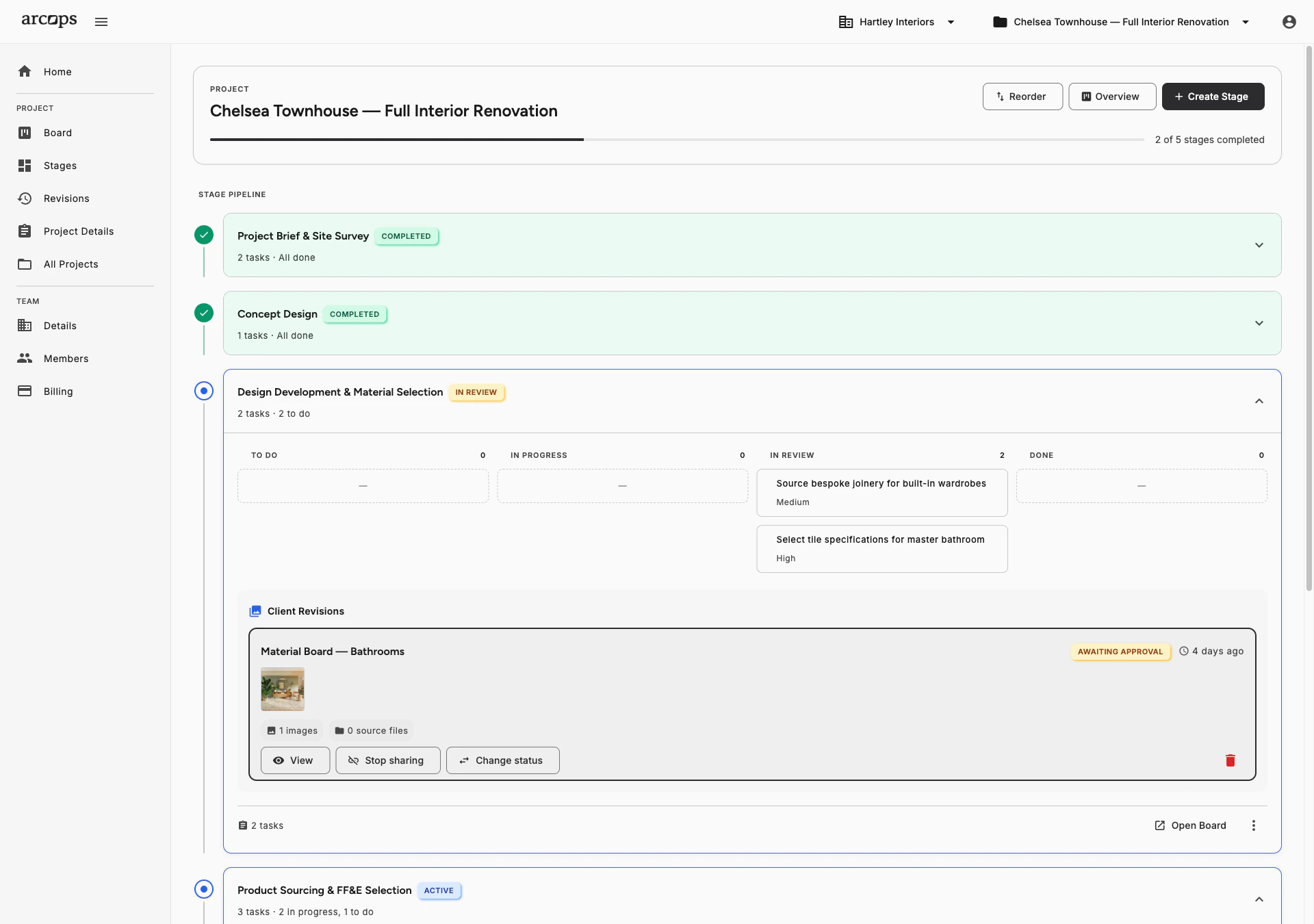
Define any number of stages with any names and any order. Start from templates or create your structure from scratch. Each stage has its own scope and deliverables.
Drag-and-drop task boards at every stage. Move tasks from To Do to In Progress to Done. See what needs attention at a glance.
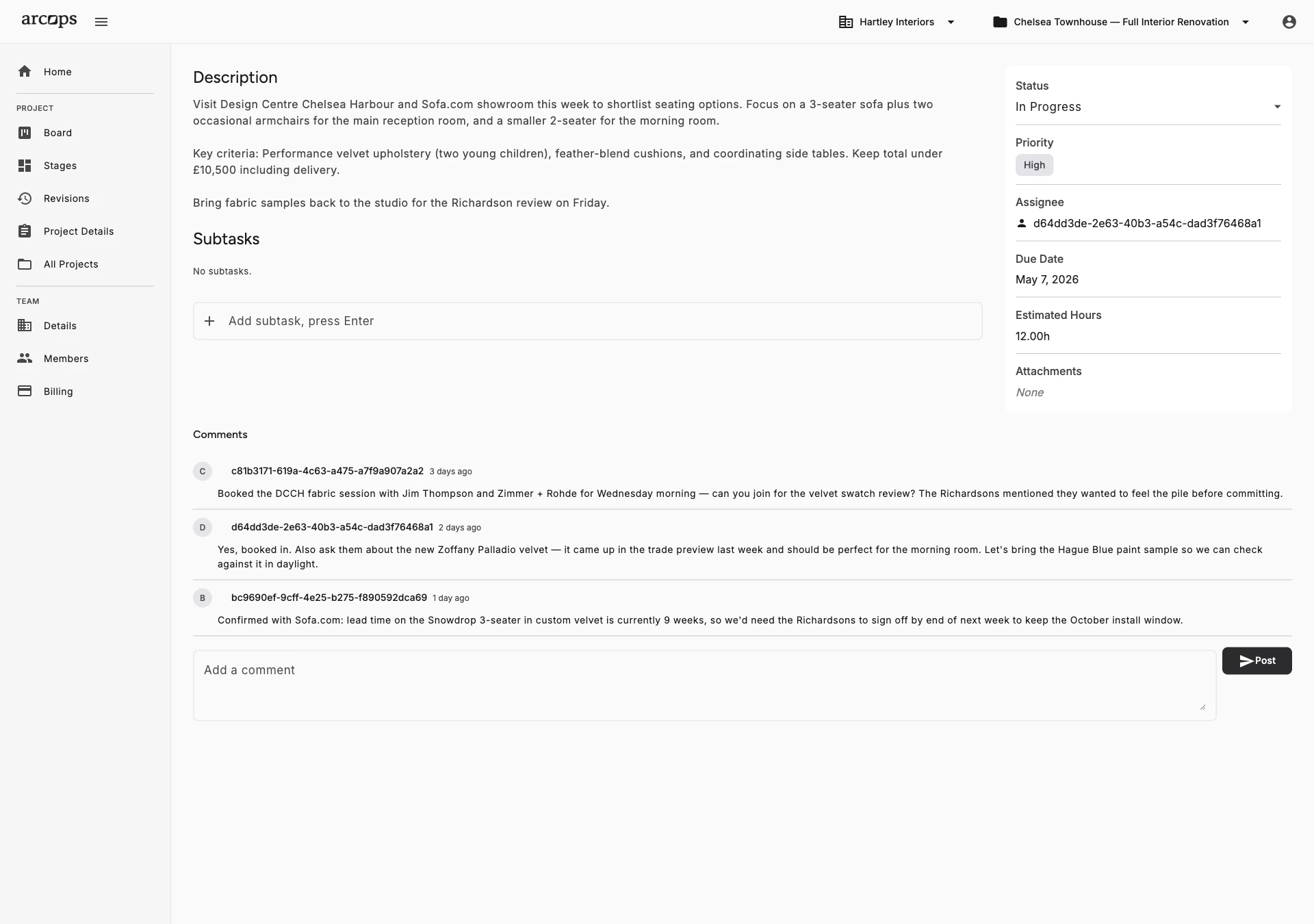
Attach files, images, and reference links directly to tasks. “Select dining table” includes the 3 shortlisted options with notes, images, and dimensions — everything in one view.
Stages Mirror Real Interior Design Phases
Every studio has its own way of moving a project from first meeting to handover. ArcOps lets your team define that structure — or choose differently for every project. Generic tools have no concept of design phases at all.
Each stage has its own Kanban board, tasks, files, and sharing controls. When you’re ready, share a completed stage with your client for approval — via a unique link, no account needed.
Explore Client Collaboration →0
Click to create a new stage — define as many as your project needs, named however you work
0 click
To share any completed stage with your client for approval
0+
File types supported per task — images, documents, and references in one view
Share Completed Stages With Clients for Approval
When a stage is ready, generate a unique shareable link with one click
Clients see a polished presentation of your product selections — not your task board chaos
They leave feedback on individual products and approve selections without creating an account
Frequently Asked Questions
Monday.com and Asana are generic project management tools with no concept of design phases or client stage sharing. ArcOps is purpose-built for interior design workflows — stages mirror your real process, tasks support file attachments and references, and clients approve via shareable links.
Stages represent the phases of your project — whatever those are for your studio. You define them with complete freedom: any number, any names, any order. Templates are available as starting points. Each stage has its own task board and sharing controls.
Product linking with sourcing catalog is launching Q3–Q4 2026. Today, tasks support file attachments, images, subtasks, and rich text descriptions — attach reference images, supplier quotes, or comparison notes directly to any task.
Yes. Every stage within a project has its own Kanban board with customizable columns. Drag and drop tasks between columns to track progress visually.
Absolutely. Your dashboard shows all active projects with their current stages. Jump between projects instantly and see which stages need attention across your entire workload.