

Organize Projects in the Same Phases You Already Use
Your team defines the stages. As many as you need, named however you work. Start from a template or build from zero. Each stage gets its own Kanban task board, files, and client-sharing controls.
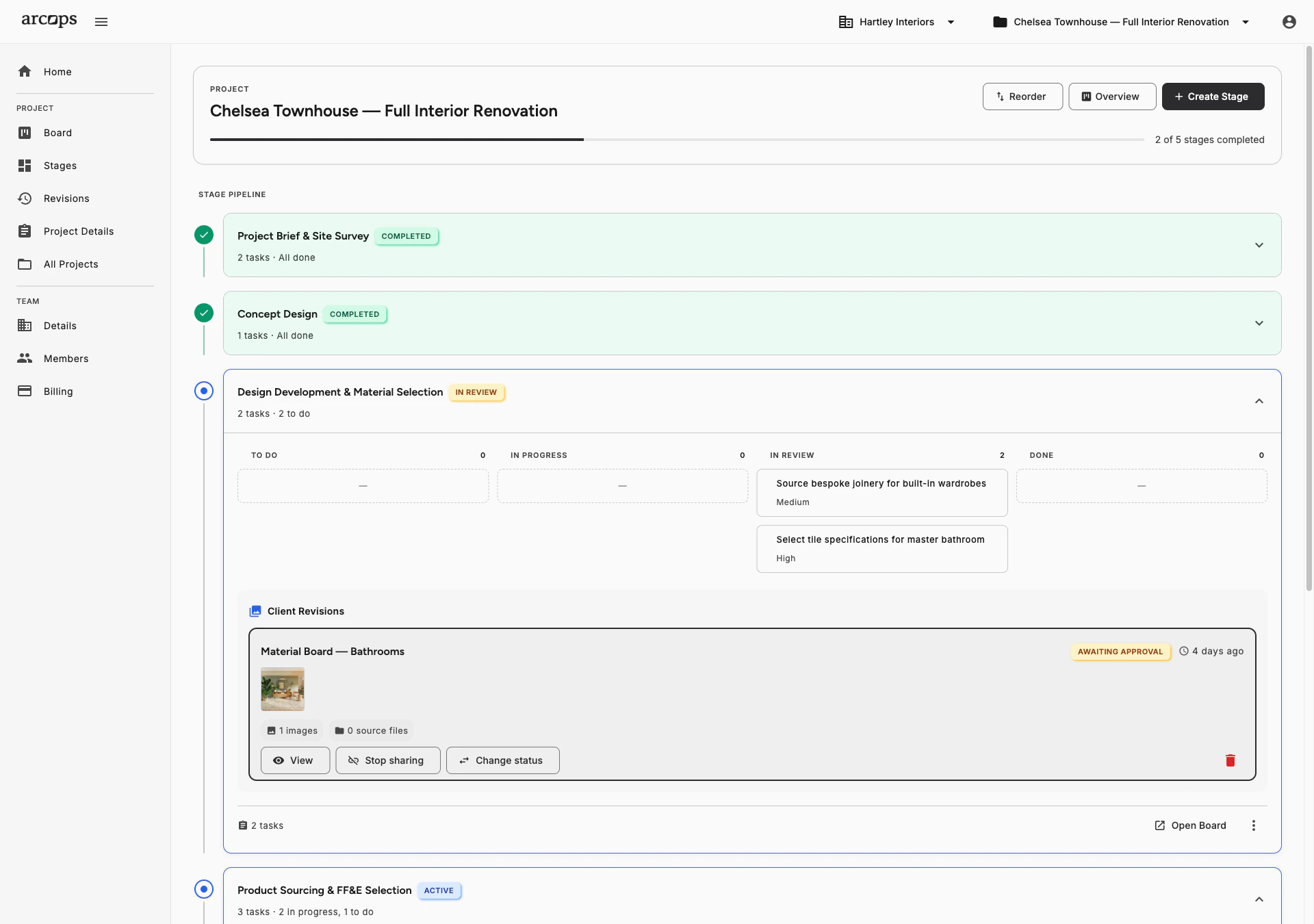
Define any number of stages with any names and any order. Templates are available as starting points, or create your structure from zero. Each stage is a self-contained workspace.
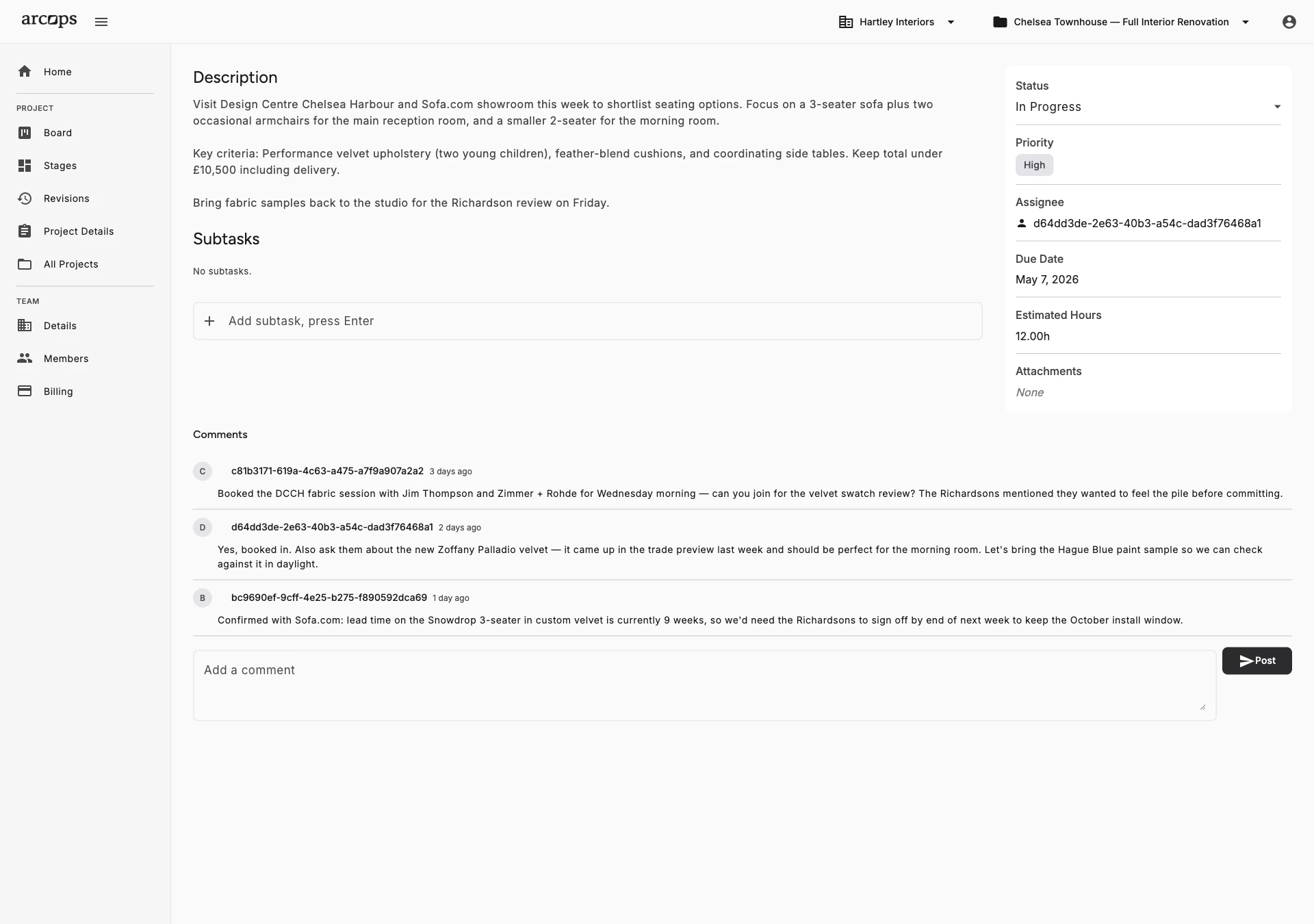
Each stage is its own workspace with a Kanban task board, tasks, files, and sharing controls. Everything related to a specific phase of your project lives in one place.
When a stage is ready for client review, share it via a unique link. Clients see a polished product presentation — not your internal task board. They approve or request changes without creating an account.
Generic Tools Force You to Reinvent Your Workflow Every Time
Monday.com, Asana, and Trello are powerful — but they know nothing about interior design. Every new project means recreating your phase structure from scratch, manually linking products to tasks, and building client presentations outside the tool.
ArcOps stages mirror how your team actually works. Define your stages once or differently for every project. Each stage has its own Kanban board, tasks, and can be shared with clients independently. The structure adapts to you, not the other way around.
Explore Kanban Boards →0
Click to add a new stage — unlimited stages per project, fully customizable
0
Click to share any completed stage with your client
0%
Of project context — tasks, products, and budget — organized by stage
Stages Connect Tasks, Files, and Client Sharing
Tasks, files, and images attach to each stage — your team’s work is organized and visible in one place
Client sharing per stage lets you control exactly what your client sees and when
Share completed stages with clients via unique links — they review products and approve without creating an account
Frequently Asked Questions
Absolutely. Define any stages you want — any number, any names, any order. Templates give you a starting point, but you have complete freedom to match your studio’s process.
Stages represent the major phases of your project (like “Material Selection”). Each stage contains its own Kanban task board with individual tasks. Think of stages as folders and task boards as the content inside.
Each stage has its own task board, files, sourced products, and client sharing controls — giving you a clear workspace for every phase of your project.
Absolutely. Real projects overlap — you might be in procurement for the living room while still selecting materials for the bedroom. ArcOps supports parallel stage progress.
When a stage is complete, generate a unique shareable link. Your client sees a polished presentation of product selections for that stage, can leave feedback, and approve. Learn more on the Client Collaboration page.