

Get Specific Feedback on Every Product You Present
Clients can comment on individual products within a shared stage. “Love this sofa but prefer a darker fabric” stays attached to that specific sofa — not buried in a WhatsApp thread you will never find again.
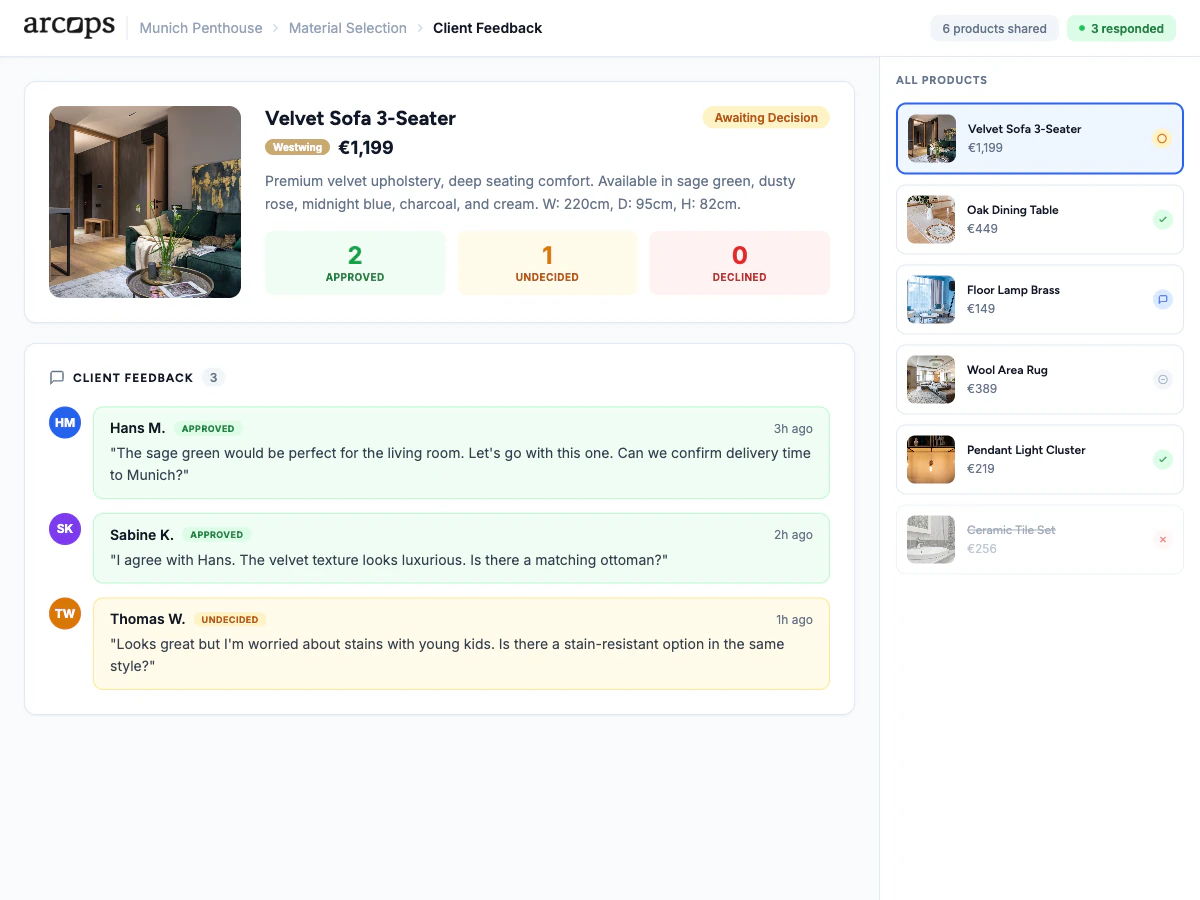
Each product in a shared stage has its own comment section. Clients leave feedback on specific items — “Love this but too large for the space” — organized and easy to track.
Clients can approve individual products or request alternatives. You see at a glance which items are approved and which need revision — no ambiguity.
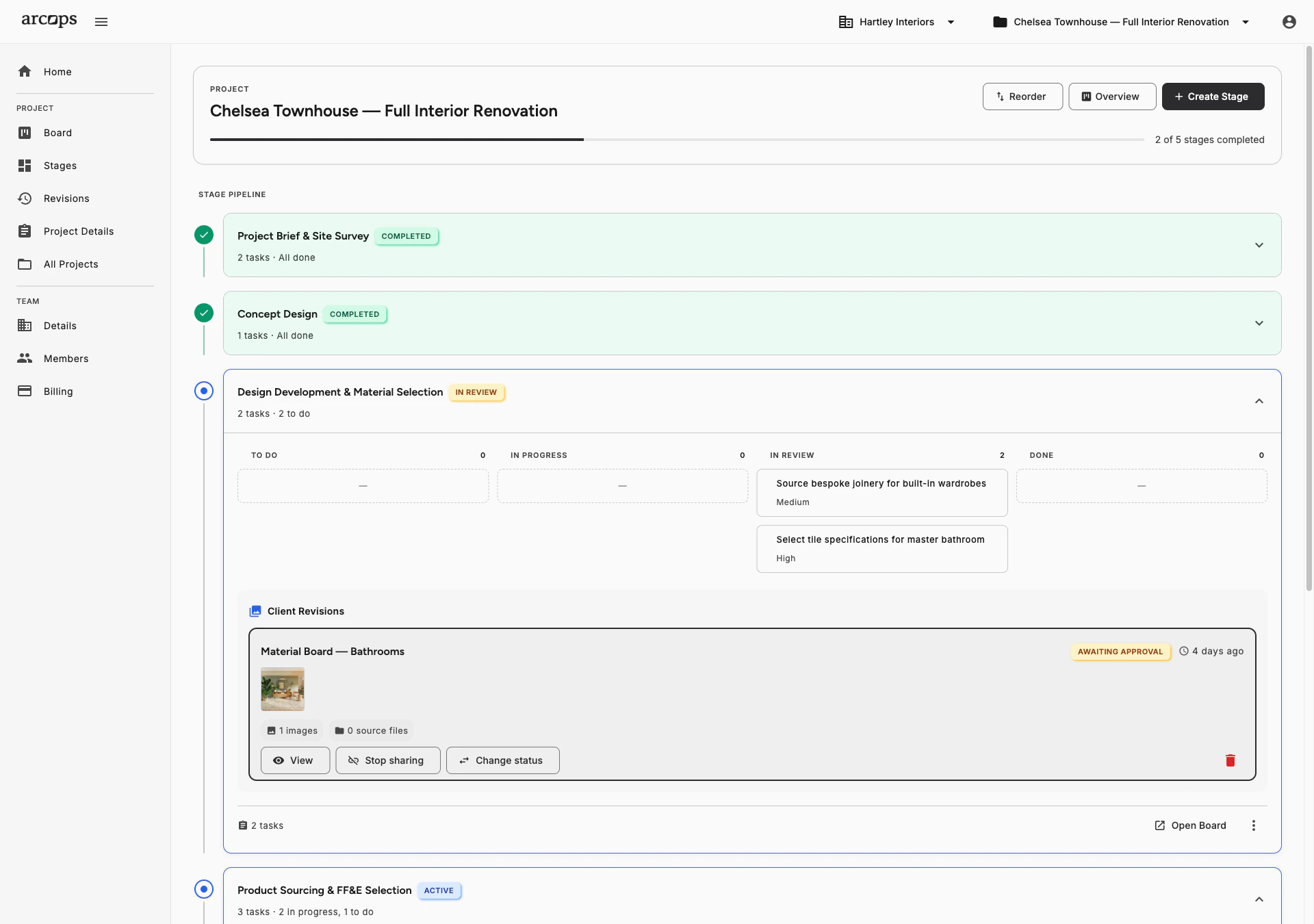
Every comment stays on the revision it refers to, next to the images and files the client was looking at. Your whole team reads the same thread — nothing to copy out of a chat app.
Every Comment Linked to the Exact Product It References
In WhatsApp or email, client feedback is a mess: “I do not like the second table” — which table? Which message thread? Which project? ArcOps solves this by attaching feedback directly to products.
Your client opens the shared stage, sees the selections, and leaves comments on each item. You see all feedback in one organized view, linked to the exact items. No ambiguity, no searching through chat history.
Explore Approval Workflow →0%
Of feedback attached to specific products — no ambiguity
0
Messages lost in WhatsApp or email threads
0 click
To share a revision and start collecting feedback on it
Every Comment Stays on the Revision It Refers To
When a client requests a change, the comment stays attached to the revision — with the images and files they were looking at
Track which products are approved and which need revision across all shared stages
Reply to client comments directly — the conversation stays attached to the product
Frequently Asked Questions
Yes. Each product in a shared stage has its own comment area. Clients leave feedback directly on the item they are referencing — no confusion about which product they mean.
No. Clients access shared stages via a unique link and can leave feedback without creating an account. Their name appears with their comments for easy identification.
Your project dashboard shows all client feedback organized by stage and product. You can filter by status — pending, approved, or needs revision — to focus on what needs attention.
Yes. Reply directly to any client comment. The conversation thread stays attached to the product, creating a clear record of the discussion and any decisions made.
On the revision the client was looking at, alongside the images and files you shared — so the feedback arrives with the context that prompted it. You decide what becomes a task on your board; ArcOps does not create tasks on your behalf.