

Build Your Product Library Once, Use It Across Every Project
Save products you love to personal or team libraries. Reuse your curated selections across projects without searching again. When your team shares a library, one designer’s great find benefits the whole studio.
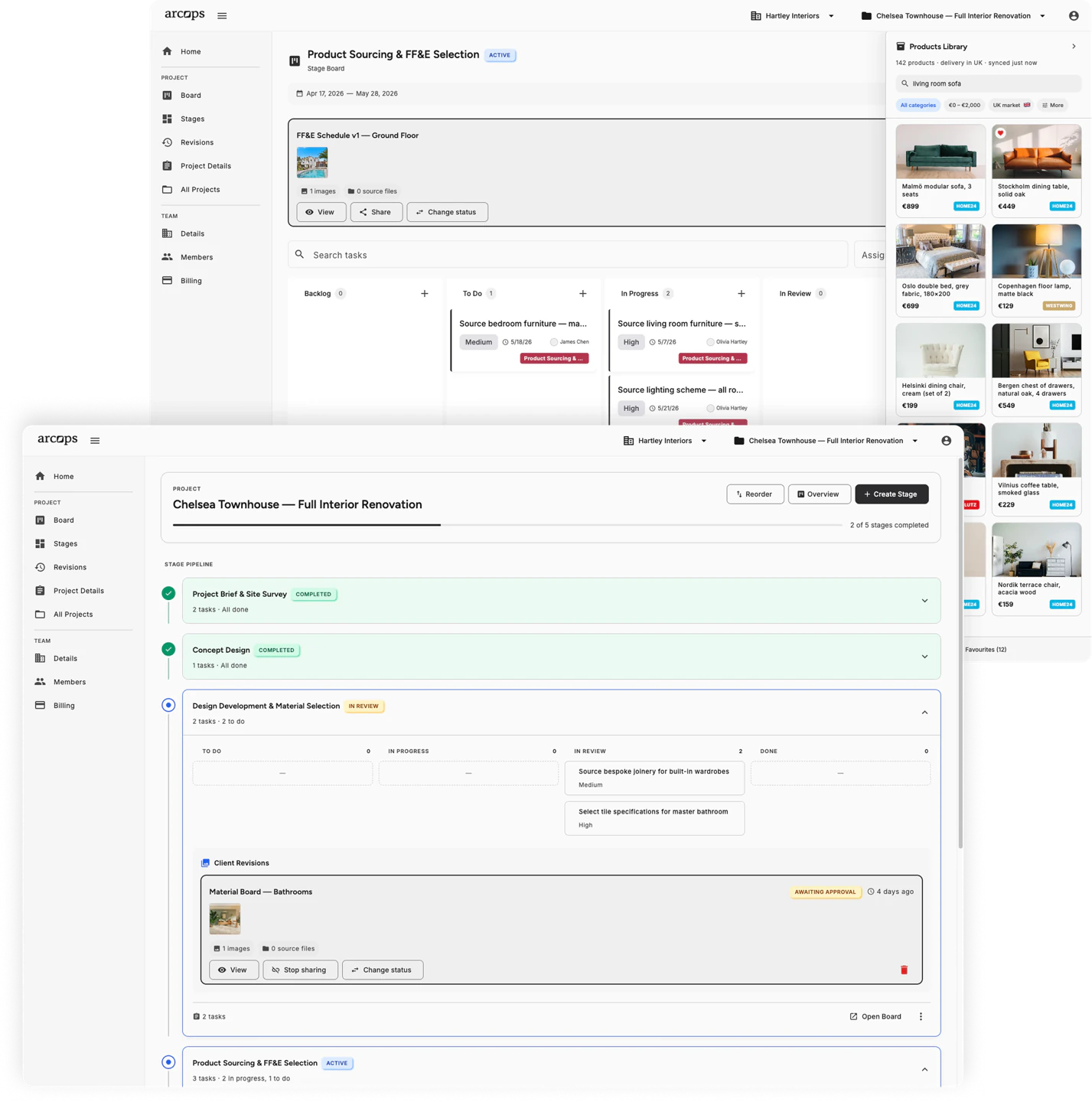
Create personal collections organized however you prefer — by style, room type, supplier, or project. Your curated selections follow you across all projects and are always one click away.
Create shared libraries that every team member can browse, contribute to, and use. When one designer discovers a great sofa supplier, the whole studio benefits instantly.
Products from your libraries link directly to project stages. Drag favorites from your library into a project with prices, dimensions, and supplier details already attached.
Collections That Match How You Think About Products
Create libraries organized by room type (living room essentials, bedroom basics), by style (Scandinavian, mid-century modern), by supplier (my IKEA favorites), or by any other system that makes sense for your workflow.
Each library entry preserves the full product data — images, dimensions, prices, supplier links, and your own notes. Products stay updated as retailers change pricing so your library is always current.
Back to Product Sourcing →0
Library types — personal for you, team for your whole studio
0+
Retailer products saveable to any library
0%
Reusable across all your current and future projects
Share Product Knowledge Across Your Studio
Team libraries prevent duplicate sourcing — if a colleague already found the perfect pendant lamp, you can see it immediately
New team members get instant access to the studio product knowledge built over months or years
Libraries persist across projects, building your studio resource base over time
Frequently Asked Questions
Personal libraries are private to you and visible only in your account. Team libraries are shared with everyone in your studio workspace — all members can browse, add products, and use them in their projects.
Yes. Create as many libraries as you need and organize them however makes sense for your workflow — by room, style, supplier, price range, or any other criteria.
Yes. Products in your libraries sync with retailer data. When a supplier updates pricing or availability, your library reflects the change automatically.
Yes. Products can be added to multiple libraries simultaneously or moved between them. A single product can exist in both your personal “Favorites” and a team “Scandinavian Furniture” library.
Libraries have generous limits depending on your plan. Free accounts can save products to personal libraries. The Premium plan unlocks team libraries with expanded capacity.