

Set Your Markup on Every Product and See Profit Instantly
For every product in your project, set a percentage markup or a fixed amount. ArcOps instantly calculates the client price and your profit margin. Change a supplier price? Your margins update automatically across the entire project.
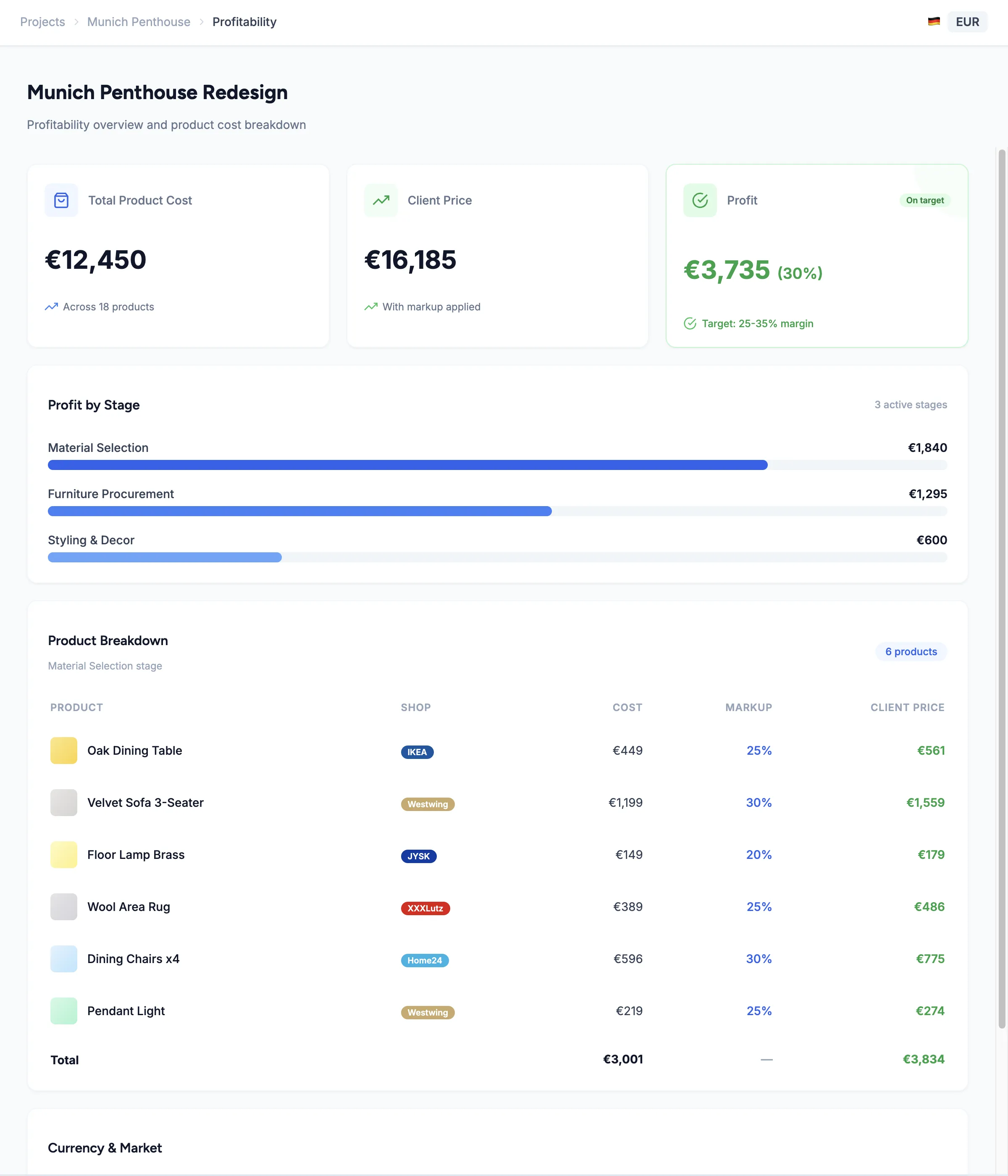
Set a percentage markup (like 30% on all furniture) or a fixed amount (like €50 on accessories). Mix both types in the same project — whatever makes sense for each product category.
The moment you set a markup, see the supplier cost, your profit amount, and the client price side-by-side. No spreadsheet formulas, no calculator — just immediate clarity.
When a supplier changes their price, your markup percentages still apply. The client price and your profit update automatically — no manual recalculation across dozens of products.
Set It Once, See Your Profit Everywhere
Select any product in your project and set a markup — 25%, 35%, or €100 flat. ArcOps instantly shows three numbers: your cost (supplier price), your profit (the markup amount), and the client price (what they see in proposals).
Markups cascade through your project. Set markup on individual products, then see the total profit for each stage, and the overall project margin — all updated in real time as you add, remove, or change products.
Explore Multi-Currency Margins →0
Markup types — percentage and fixed amount, mixable in one project
0
Numbers per product — your cost, your profit, and the client price
0%
Automatic recalculation when supplier prices change
Markup Starts Where Sourcing Ends
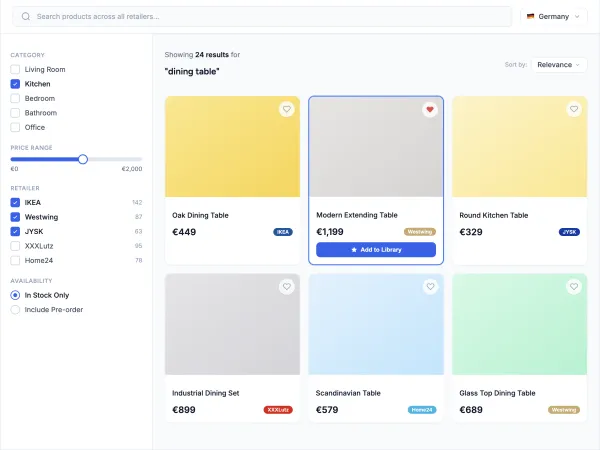
Products sourced from 50+ retailers come with supplier prices already loaded — just add your markup
Compare markup across alternatives before recommending to your client
Change suppliers or products and your margins recalculate automatically
Frequently Asked Questions
Yes. Set 30% markup on furniture, a flat €50 on small accessories, and 15% on lighting — all in the same project. Each product has its own independent markup setting.
Your markup percentage stays the same. ArcOps automatically recalculates the client price and your profit based on the new supplier price. No manual updates needed.
Never. Client-facing presentations and proposals show only the final price. Your supplier cost and markup amount are visible only to you and authorized team members.
Yes. Set a default markup percentage that applies automatically when you add new products to a project. Override it on individual items when needed.
When you add a product from the sourcing catalog, the supplier price loads automatically. Set your markup and the client price calculates instantly. No manual price entry needed.