

Share Any Design Stage With a Single Link
Generate a unique URL for any project stage. Share it via email, WhatsApp, or any channel your client prefers. They open it in their browser and see a polished presentation of your selections — no download, no account creation, no friction.
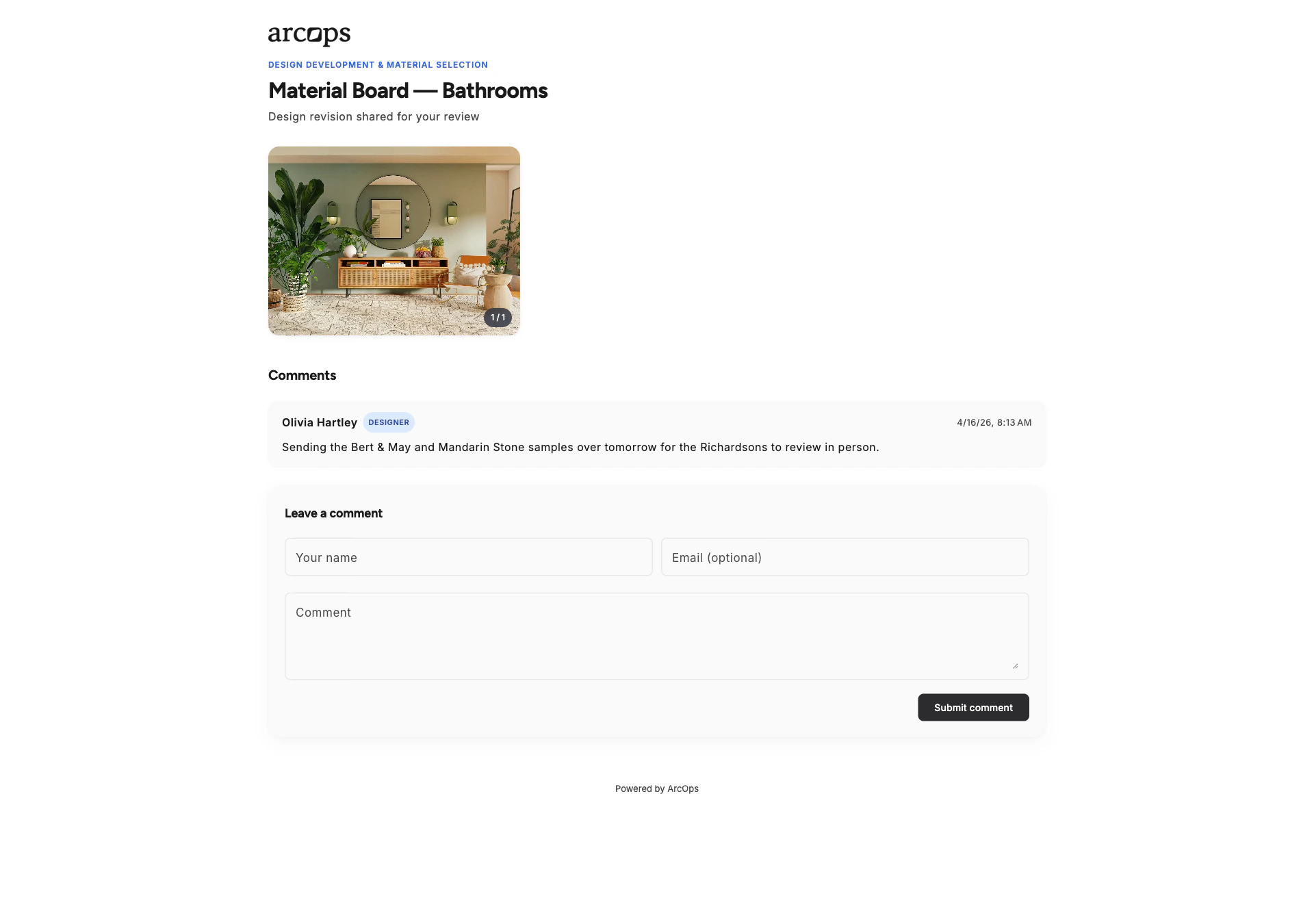
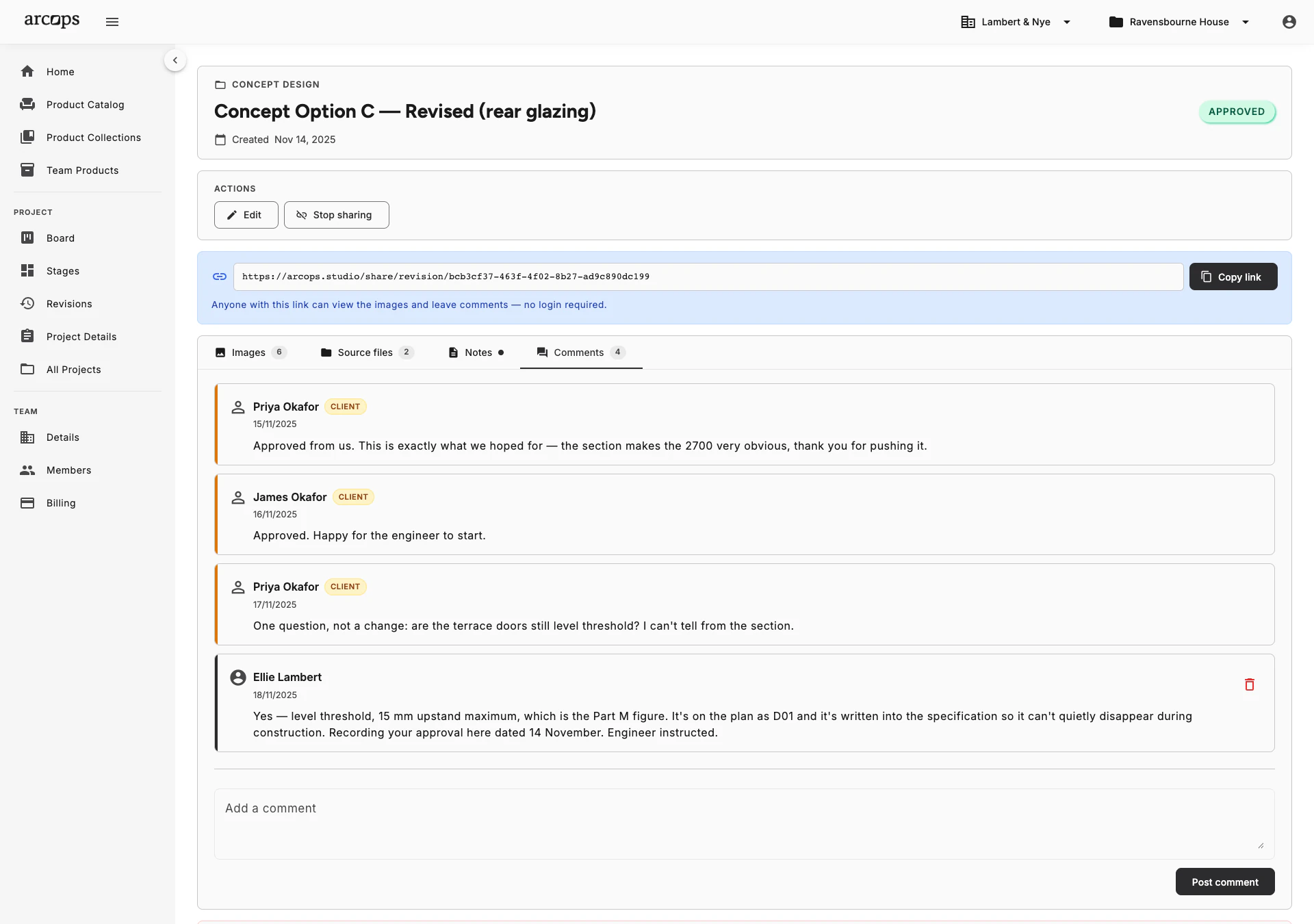
When a stage is ready, click “Share” to generate a unique URL. Copy and send it to your client via their preferred channel — email, WhatsApp, Telegram, or any messenger.
Every link carries a long random token that cannot be guessed, and shared stages are excluded from search engines. Only the people you send it to ever reach it.
Shared links stay active as long as you want. Update the stage and your client sees the latest version. Revoke access anytime by disabling the link.
From Your Task Board to Your Client Screen in 30 Seconds
Finish curating products in a stage. Click “Share” and ArcOps generates a unique, branded URL. Your client receives a clean, professional presentation showing product images, descriptions, and the prices you set — they never see your internal task boards or notes.
Links can be updated. Add products, change prices, or make revisions — your client always sees the latest version when they open the link. No need to regenerate or resend.
Explore Product Feedback →0 click
To share any completed stage with your client
0
Apps or accounts needed by your clients
0%
Control over what your client sees and when
No More WhatsApp Screenshots or Email Attachments
Clients see a polished, branded presentation — not scattered images or confusing spreadsheets
Everything organized by stage — “Living Room Material Selection” shows only the relevant products
Works on any device — desktop, tablet, or phone — no app installation required
Frequently Asked Questions
Yes. The share link is a standard URL that works anywhere — email, WhatsApp, Telegram, Slack, SMS, or any other channel. Just copy and paste.
Anyone you send it to. The URL carries a long random token that cannot be guessed, and shared stages carry a noindex directive so search engines never list them. Disable sharing and the link stops working immediately.
Yes. Disable any shared link at any time. Once disabled, the URL no longer shows content. You can re-enable it later if needed.
No. Clients only see what the revision contains — the images, files, notes and prices you chose to publish. Your task boards and internal comments are never visible in a shared revision.
Yes. Each stage generates its own unique link. Share “Concept” with your client while keeping “Procurement” private. You control which stages are visible.